By default, NetFlow data is stored and accessed locally (more precisely at http://localhost:9200).
To change the address of the Elastic Server, visit  > Settings > Netflow Settings > Configuration. In the Elasticsearch database options section, you can set new values for your Elastic server.
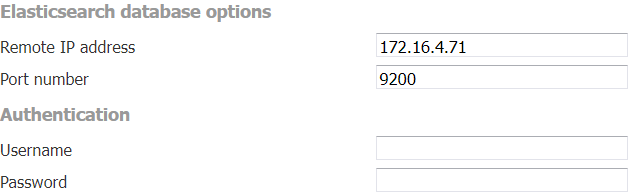
In our example, messages will be written and read from http://172.16.4.71:9200 without authentication.
To specify a different protocol, add the protocol in front of the IP address in the Remote IP address field (e.g., https://172.16.4.71). DNS names are also supported instead of IP addresses, as well as authentication with username and password.
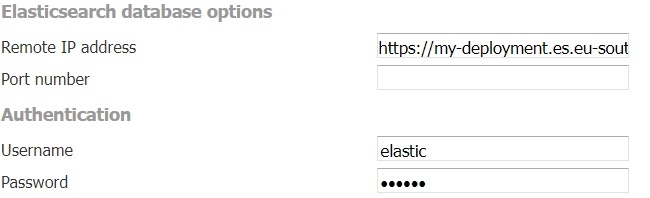
This setup will connect to the Elastic Cloud at https://my-deployment.es.eu-south-1.aws.elastic-cloud.com:9243 using the correct username and password for authentication. Port 9243 will be used because it is the default port for the HTTP protocol, even though it is not specified in the Port number field.
If the values in the Elasticsearch database options section are not specified, the HTTP protocol will be used by default.
If the port number is not specified, the default port number for the given protocol (9200 for HTTP and 9243 for HTTPS) will be used.
After saving new configuration parameters, you need to restart your Tomcat server.