Exporters and Interfaces Discovery
In order to complete exporter names discovery, it is required to have basic network administration knowledge and access to network devices. Also, you need administrator privileges for setting up SNMP policies in NetVizura Control Panel. |
First time when NetFlow Analyzer receives and processes netflow packets from a network device, it is automatically added to Exporters tree. Device initially appears as IP address (configured for NetFlow export), and its interfaces appear with dedicated SNMP indexes.
However, to further discover exporter and interface names you will need to set up SNMP policies:
- Enable and set SNMP on your exporters
- Make sure that NetVizura can send SNMP requests to the exporters
- Add SNMP policies to NetVizura (Settings > Control Panel > SNMP Policies).
After that, name discovering process is very easy:
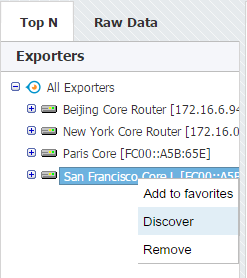
- Go to Top N > Exporters tree
- Right click on exporter or interface node
- Select Discover
Exporter or interface name will be set to sysName, while description (in tooltip) will be set to sysDescr value received via SNMP request.
| To learn how to configure SNMP policies in NetVizura, see Configuring SNMP Policies. |
You can test SNMP configuration on your devices from NetVizura shell by using command:
Example: |
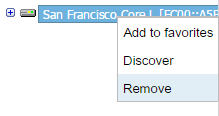
- Go to Top N > Exporters tree
- Right click on exporter node
- Select Remove
- Confirm your administrator password
- Click OK
| If exporter continues sending NetFlow to NetVizura from a new interface, it will reappear in the tree so make sure to stop NetFlow export on the exporter before its removal. |